.svg) marketing@innominds.com
marketing@innominds.com.svg)
.svg)
.svg)
.svg)
.svg)



Apache FreeMarker is a Java-based template engine focusing on the MVC software architecture. Although it’s mostly used for Servlet-based Web Application development, it can be used for any other kind of text output, such as generating CSS, Java source code, etc. The basic idea of a template engine is to separate how to present data and what data to present.
The “how to present data” part is done through a template, which in the case of FreeMarker is written in the FreeMarker Template Language.
The “what data to present” part can be done in Java by connecting to backend services or by performing any other kind of business logic. The process is depicted in the following figure:
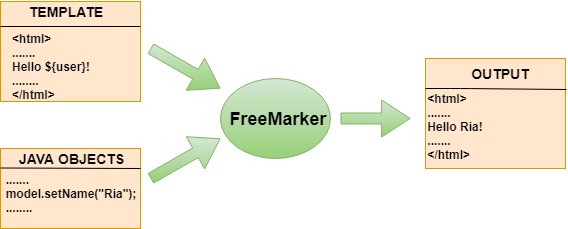
(*Image Source: https://www.tutorialandexample.com/freemarker-tutorial-for-beginners)
It is a dynamic “On the Fly” template-based text output rendering “language” which can output text in various formats. It is thus highly suitable wherever there is a need to customize the output in various formats and dynamically.
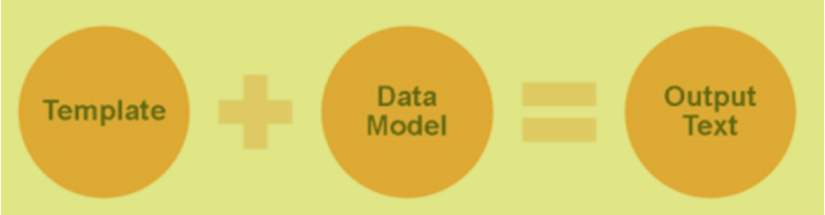
The features of the free marker template can be defined as below:
- Versatile Data Model in Object Wrapper: Through the pluggable adapters, Java objects are exposed to the template as a tree of variables, which decides how the template sees them
- Localization and Internationalization Support: It supports localization and internationalization (l10n, i18n)
- Configurable and extensible
- Generic: Dynamic template loading by free marker engine
- Template loading from File, DB, Web, Jar, etc.
- XML, Ant support for variable substitution
- Name-spaces to help build and maintain reusable macro libraries or to divide big projects into separated modules, without worrying about name clashes
- Tag support for JSP tag libs with JSPSupportServlet
- Tag similar to Velocity template, easy to understand, and maintainable
FreeMarker vs Velocity vs JSP
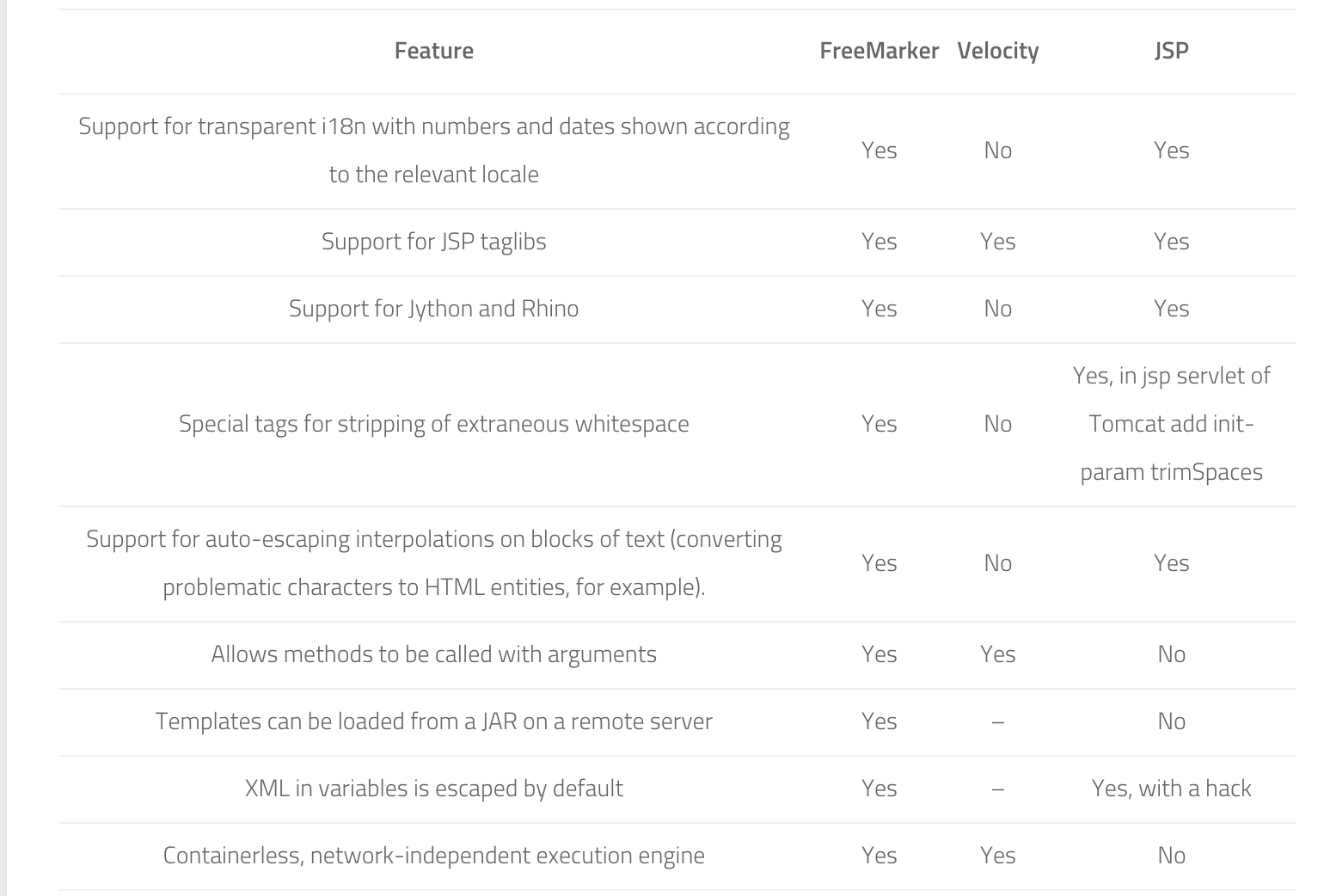
(*Image Source: https://www.viralpatel.net/introduction-to-freemarker-template-ftl)
How to use it for dynamic Java file generation
To display the dynamic data using the FreeMarker template, the below steps need to be fulfilled:
-
Create a simple Java project and in src/main/resources can have a folder named as templates
-
Create a template for example named as UserData.ftl
-
Map the ftl file with the model which is defined for display the data in ftl file
-
Load the template
Using the above steps, the dynamic class can be generated in the following method:
Let’s suppose the Java file which needs to generate is as below.
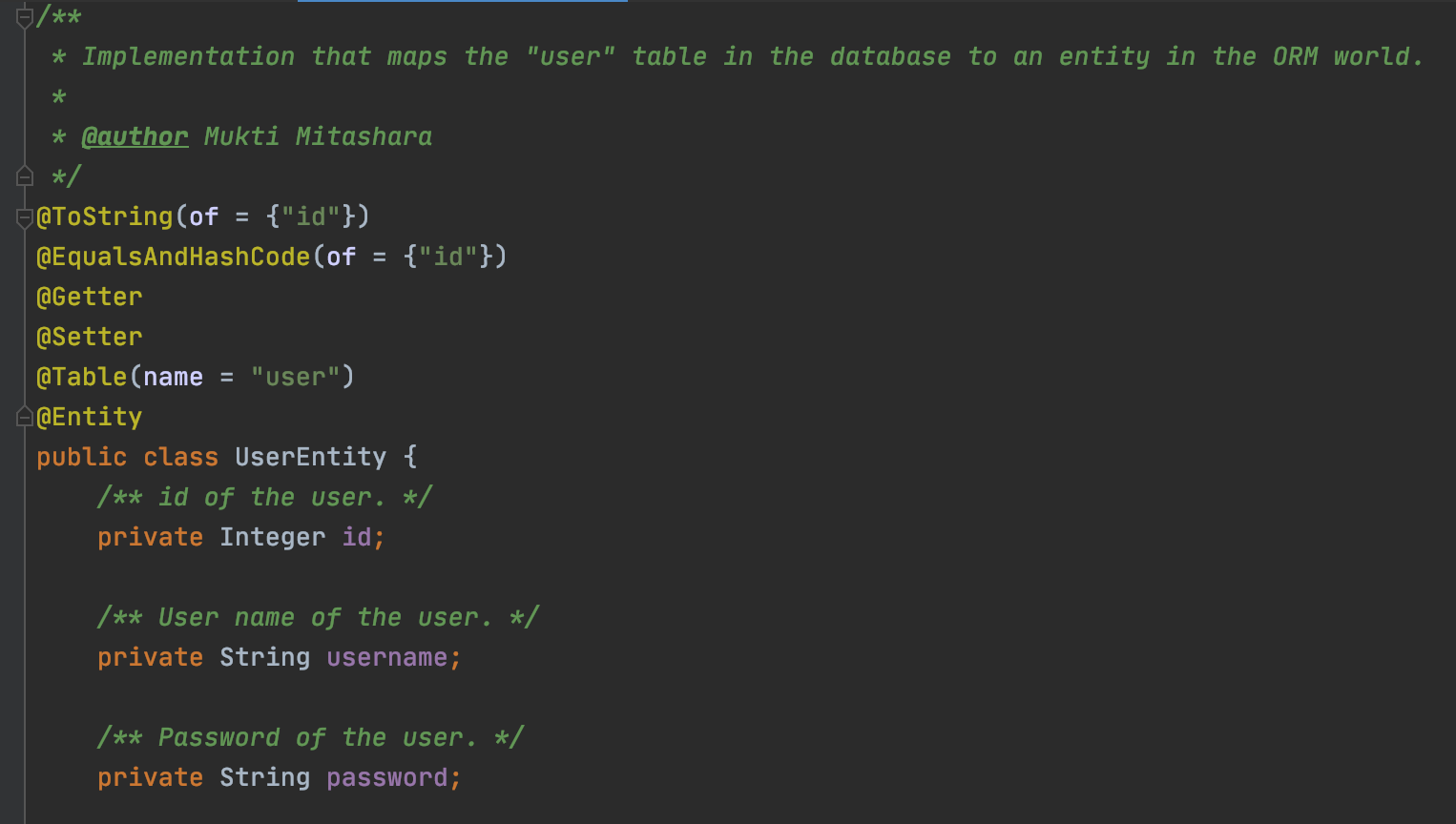
As we see the data displayed in UserEntity class is having the id, username, and password, and each attribute is having the type associated with it. So here in runtime model, the Java class which is defined and used in ftl will have the below attributes:
- The attribute fields dataType
- The attribute Name
- The attribute description
- The author name is dynamic for each class
The ftl for display the above data can be defined as below:
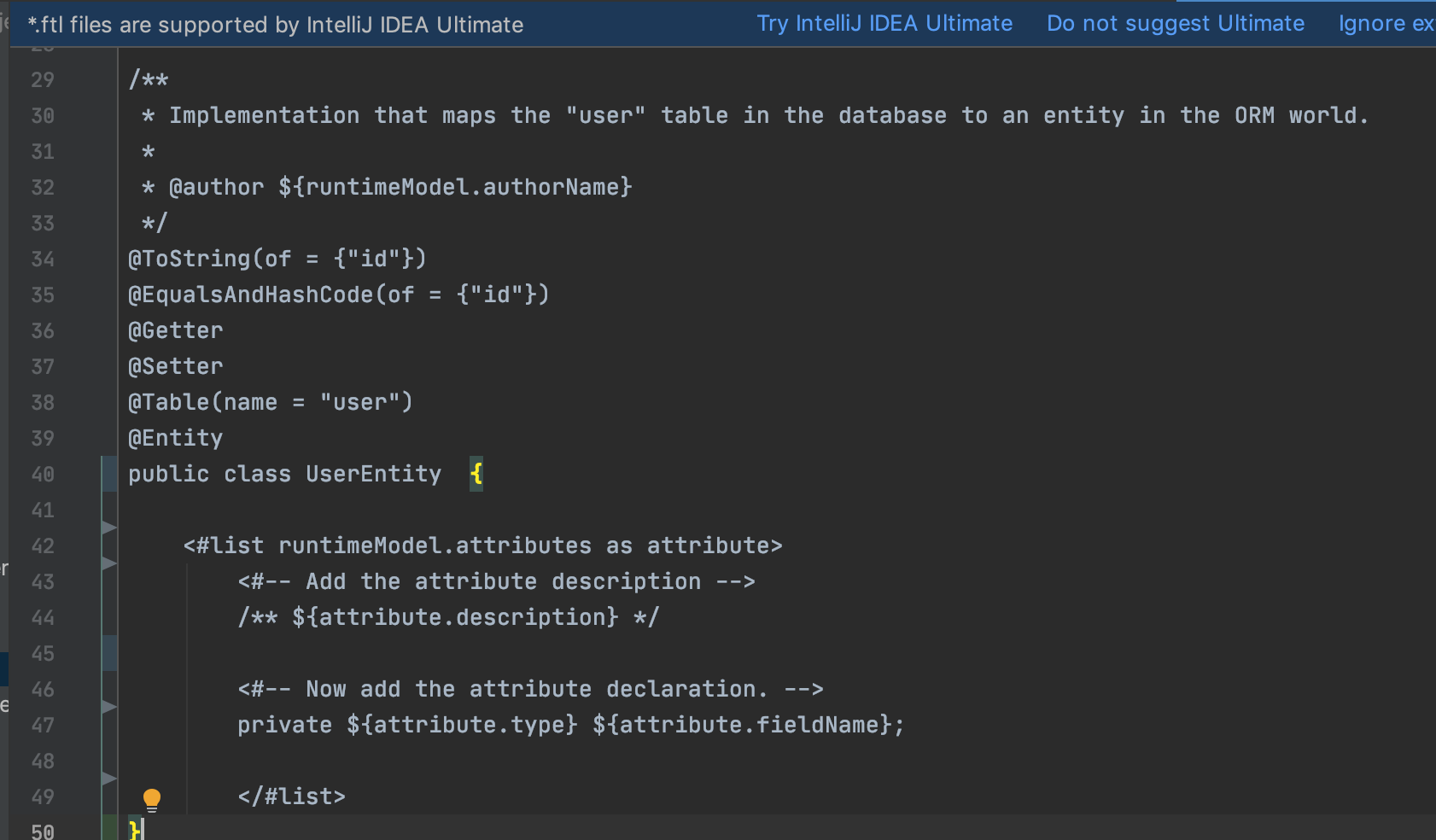
The data display using FTL is very simple and manageable.
Use of FTL in iSymphonyTM
iSymphonyTM is a low-code no-code platform. This platform is generating the code (basic CRUD operations) for any application. iSymphonyTM is based on the principles of model-driven design, automatic code generation, and visual programming. It provides digital assets including templates and components for fast-paced application development.
In iSymphonyTM, the logical data-modeling of tables will be done. For each table, the API, service, repository, and mapper code will be generated. For generating the code for each layer, the FTL is used in the product. The structure of each Java file, including the declaration, is defined in FTL file and the Java file is getting populated with the data that is passed in the FTL file.
There is extensive use of FTL’s in iSymphonyTM which gives the flexibility to generate the code with a dynamic template that is easy to manage.


-Jul-27-2021-12-11-19-48-PM.png?width=150&height=150&name=MicrosoftTeams-image%20(1)-Jul-27-2021-12-11-19-48-PM.png)